




















The Ultimate Guide to Mastering Driving Car 3d
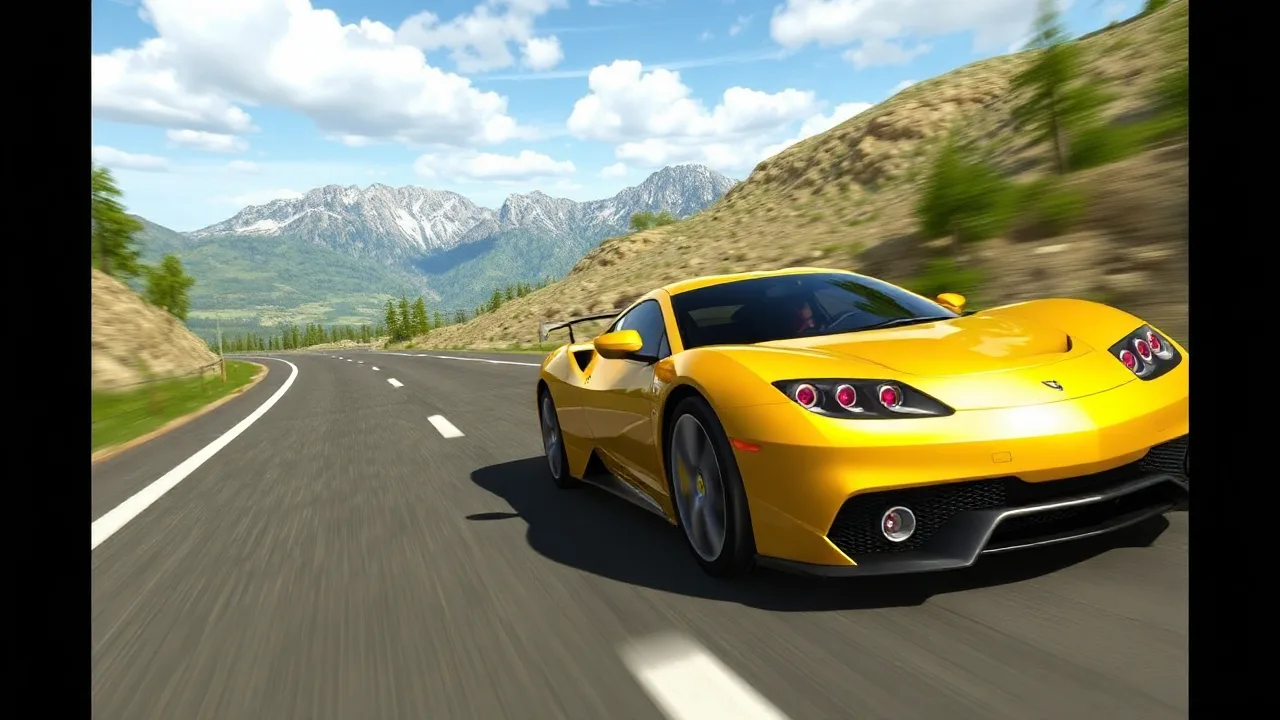
Driving Car 3D brings the thrill of the open road right to your screen, offering a realistic and immersive driving experience. Whether you're looking to practice your parking skills or simply enjoy the freedom of cruising through detailed 3D environments, this game provides an engaging challenge for players of all ages. Get ready to take the wheel and explore what makes this browser-based simulation so compelling.
Why Driving Car 3D Stands Out
In the vast world of browser games, Driving Car 3D distinguishes itself with its focus on realistic vehicle physics and detailed environments. Unlike arcade racers that prioritize speed above all else, this title encourages precision and control. The developers have put significant effort into making the cars handle like their real-world counterparts, with noticeable weight and momentum. This attention to detail creates a satisfying experience where mastering the controls feels like a genuine achievement. The game is accessible directly in your web browser, requiring no downloads, making it easy to jump in for a quick session whenever you have a spare moment.
Core Gameplay Mechanics and Controls
The primary objective in Driving Car 3D is to navigate your vehicle through various scenarios, from city streets to challenging parking lots. The controls are intuitive, typically using the arrow keys or WASD for acceleration, braking, and steering. Some modes may also utilize the spacebar for the handbrake. The physics engine responds to these inputs realistically; braking too hard on a turn will cause the car to skid, while gentle acceleration is key to smooth starts. Learning to modulate your speed and anticipate turns is fundamental to progressing through the game's challenges. The steering is responsive but requires a delicate touch at higher speeds, adding a layer of skill to every maneuver.
Exploring the 3D Environments
The game features a variety of well-designed 3D environments that serve as more than just a backdrop. Cityscapes are filled with traffic, pedestrians, and intersections that demand your full attention. Other levels might focus on tight parking structures or open highways, each presenting a unique set of obstacles and opportunities. The level design cleverly tests different driving skills, from parallel parking in a crowded lot to maintaining speed on a winding mountain road. The sense of scale and the detailed scenery help to immerse you in the experience, making each drive feel like a distinct adventure.
Vehicle Handling and Physics Simulation
A key element that separates Driving Car 3D from simpler driving games is its commitment to a plausible physics model. The cars have a tangible sense of mass and inertia. You can feel the difference when accelerating a heavy sedan versus a lighter vehicle. Collisions with walls or other objects are impactful, often resulting in visible damage and a loss of speed that forces you to readjust your approach. This system rewards careful driving and punishes recklessness, encouraging players to develop a more thoughtful and strategic driving style over time.
| Feature | Details |
|---|---|
| Gameplay Style | Simulation-focused driving with realistic physics |
| Primary Controls | Arrow keys or WASD for movement, Space for handbrake |
| Session Pace | Variable; from relaxed cruising to tense parking challenges |
| Device Fit | Optimized for desktop browsers with keyboard input |
| Category Match | Ideal for fans of driving simulators and skill-based challenges |
Tips for Smoother Driving and Better Scores
Improving your performance in Driving Car 3D comes down to practice and a few key techniques. First, always use the accelerator gently. Mashing the gas pedal will often lead to wheel spin and a loss of control, especially in wet conditions. Second, brake well before you enter a turn, not during it. This allows you to maintain traction and steer through the corner effectively. For parking challenges, use your vehicle's mirrors (if available) or carefully position the camera to judge distances. Taking your time to line up your approach perfectly is always faster than repeatedly trying to correct a bad angle. Finally, don't be afraid to use the handbrake for sharp, controlled turns when necessary.
Improving Your Skills with Practice
Like any skill, becoming proficient at Driving Car 3D requires consistent practice. Start with the easier levels to get a feel for the specific handling characteristics of the game's vehicles. Pay attention to how different surfaces affect your grip and braking distance. As you become more comfortable, challenge yourself with more complex scenarios. The game provides a safe space to experiment and learn from mistakes without real-world consequences. Over time, you'll develop muscle memory for the controls and an intuition for judging speeds and distances, leading to higher scores and a more enjoyable experience.
Maximizing Your Enjoyment
The key to getting the most out of Driving Car 3d is to appreciate the journey, not just the destination. Take a moment to enjoy the detailed environments and the satisfying feel of a well-executed maneuver. The game is designed to be both challenging and relaxing, offering a perfect escape for a few minutes or a longer play session. Whether you're aiming for a perfect parking job or simply cruising without a specific goal, the experience is rewarding. This title is a great addition to any game library for those who appreciate skill-based gameplay.
Is Driving Car 3D free to play?
Yes, Driving Car 3D is completely free to play. You can access and enjoy the full game directly in your web browser without any cost. It is part of a growing collection of high-quality browser games that provide entertainment without requiring a purchase or subscription.
What are the system requirements?
The game is designed to run smoothly on most modern web browsers, including Chrome, Firefox, Safari, and Edge. A stable internet connection is recommended for the best experience. It is optimized for desktop play with a keyboard, though some players may find it playable with on-screen controls on tablets.
Can I play Driving Car 3D on my mobile device?
While primarily designed for desktop browsers with keyboard controls, the game may be accessible on some mobile devices. However, the experience is best enjoyed on a computer where the precise keyboard inputs allow for the full range of vehicle control. Check out our game catalog for more titles optimized for touchscreens.