




















Mastering the Open Road in Car Driving 3D
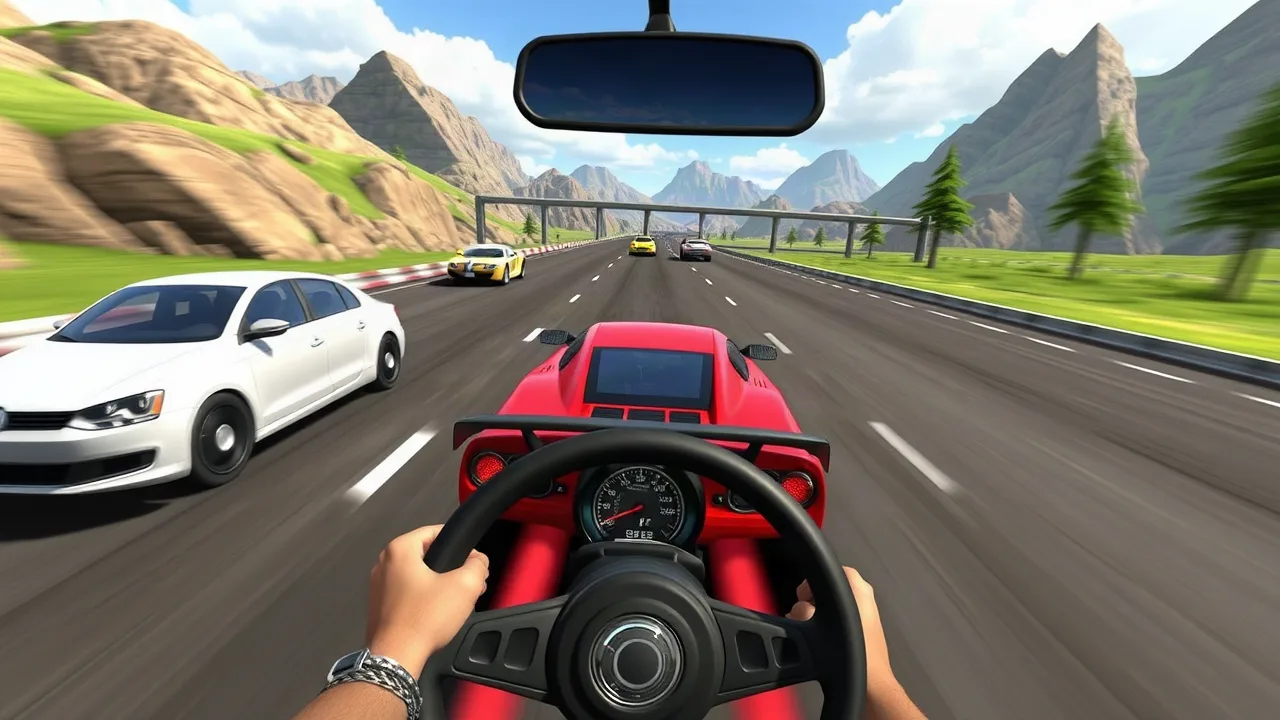
Step into the driver's seat and experience the thrill of the open road with Car Driving 3D. This engaging browser-based game puts you behind the wheel of various vehicles, challenging your skills across diverse environments. Whether you're navigating tight city corners or speeding down a straight highway, the game offers a satisfying blend of arcade fun and driving simulation. It's a perfect pick for anyone looking for some quick, exciting action right in their browser, proving that you don't need a complex setup for a great driving experience.
Why This Driving Simulator Stands Out
In a crowded field of racing titles, this game carves out its own space by focusing on the pure joy of driving. It avoids overly complex mechanics in favor of responsive controls and a satisfying sense of speed. The 3D graphics are clean and effective, creating an immersive world without demanding a high-end computer. It's this accessibility and focus on core fun that makes it a go-to choice for players seeking immediate entertainment. The game is designed to be picked up and played, with a gentle learning curve that quickly gives way to skillful maneuvering.
Core Gameplay and Controls
The primary objective is simple: navigate your vehicle from a starting point to a destination while adhering to the rules of the road. You'll need to manage speed, avoid traffic, and park precisely to complete objectives. The controls are intuitive, typically using the arrow keys or WASD for steering, acceleration, and braking. Mastering the handbrake for sharp turns and drifting around corners is key to shaving seconds off your time. The game provides immediate feedback, making it clear when you've executed a perfect parallel park or a thrilling overtake.
| Feature | Details |
|---|---|
| Gameplay Style | Arcade driving simulation with objective-based challenges |
| Primary Controls | Keyboard (Arrow keys / WASD) for steering, acceleration, and braking |
| Session Pace | Variable; from relaxed cruising to high-speed time trials |
| Device Fit | Optimized for desktop browsers; excellent for quick play sessions |
| Category Match | Perfect for fans of driving games, car simulators, and browser-based challenges |
A Tour of the 3D Environments
The game features a variety of well-designed maps that keep the experience fresh. You might find yourself weaving through a bustling downtown district, complete with traffic lights and pedestrians. Another level could take you to a winding mountain pass, testing your ability to control the car on curves. These environments aren't just backdrops; they are integral to the gameplay, offering different challenges and requiring you to adapt your driving style. The sense of scale and detail in these 3D worlds adds significantly to the immersion.
Tips for Navigating Traffic and Parking
Success in this game often comes down to patience and observation. Don't just focus on speed; watch the patterns of the AI traffic. Use the gaps between cars to make safe lane changes. When it comes to parking, slow down well in advance. Use your vehicle's mirrors or camera angle to align yourself with the parking spot. It's better to take an extra few seconds to line up correctly than to rush and knock over cones. Remember, completing the objective without damage is often more important than raw speed.
The Appeal of Browser-Based Racing Games
One of the biggest advantages of a title like this is its accessibility. As one of the many free online games available, it requires no downloads or installations. You can start playing within seconds, making it ideal for a quick break or a longer gaming session. This ease of access is a hallmark of great browser games, allowing players to jump straight into the action. It's a testament to how web technology has advanced, delivering smooth and enjoyable 3D experiences directly through your web browser.
How to Get the Best Performance
For the smoothest experience, ensure your web browser is up to date. Closing unnecessary tabs can free up system resources, which helps maintain a stable frame rate, especially in more detailed environments. If you notice any lag, try lowering any available graphics settings within the game's menu. A stable internet connection is also recommended for loading the game assets quickly. Following these simple steps will help you focus on what matters most: mastering the drive.
Is Car Driving 3D the Right Game for You?
If you enjoy games that reward skillful control and offer a relaxing yet engaging challenge, this is an excellent choice. It's perfect for players who appreciate the nuances of handling different vehicles in varied settings. It's not a high-octane, fantasy racer but a grounded simulation that finds its fun in realistic physics and objectives. For anyone looking to test their virtual driving prowess, this game delivers a solid and enjoyable package. It stands proudly within any game library dedicated to quality driving experiences.
FAQ
What are the main controls for driving?
The game typically uses the arrow keys or the WASD keys. The up arrow or W accelerates, the down arrow or S brakes/reverses, and the left/right arrows or A/D steer the vehicle. A spacebar is often used for the handbrake.
Is this game suitable for all ages?
Yes, the game is designed to be family-friendly. It focuses on driving skills and does not contain any violent or mature content.
Can I play this on my mobile device?
The game is primarily optimized for desktop browsers with a keyboard. While it may load on a mobile device, the controls are designed for a physical keyboard and may not function correctly on a touchscreen.
Are there different cars to unlock?
Many versions of this game include a selection of vehicles with different handling characteristics. You can often unlock or choose new cars as you progress through the game's challenges.
How do I improve my parking skills?
Practice is key. Approach the parking spot slowly, use the camera to get a good angle, and make small, precise steering adjustments. Don't be afraid to pull forward and realign if needed.